How to Use Qwen 3.6 for Web Development 2026
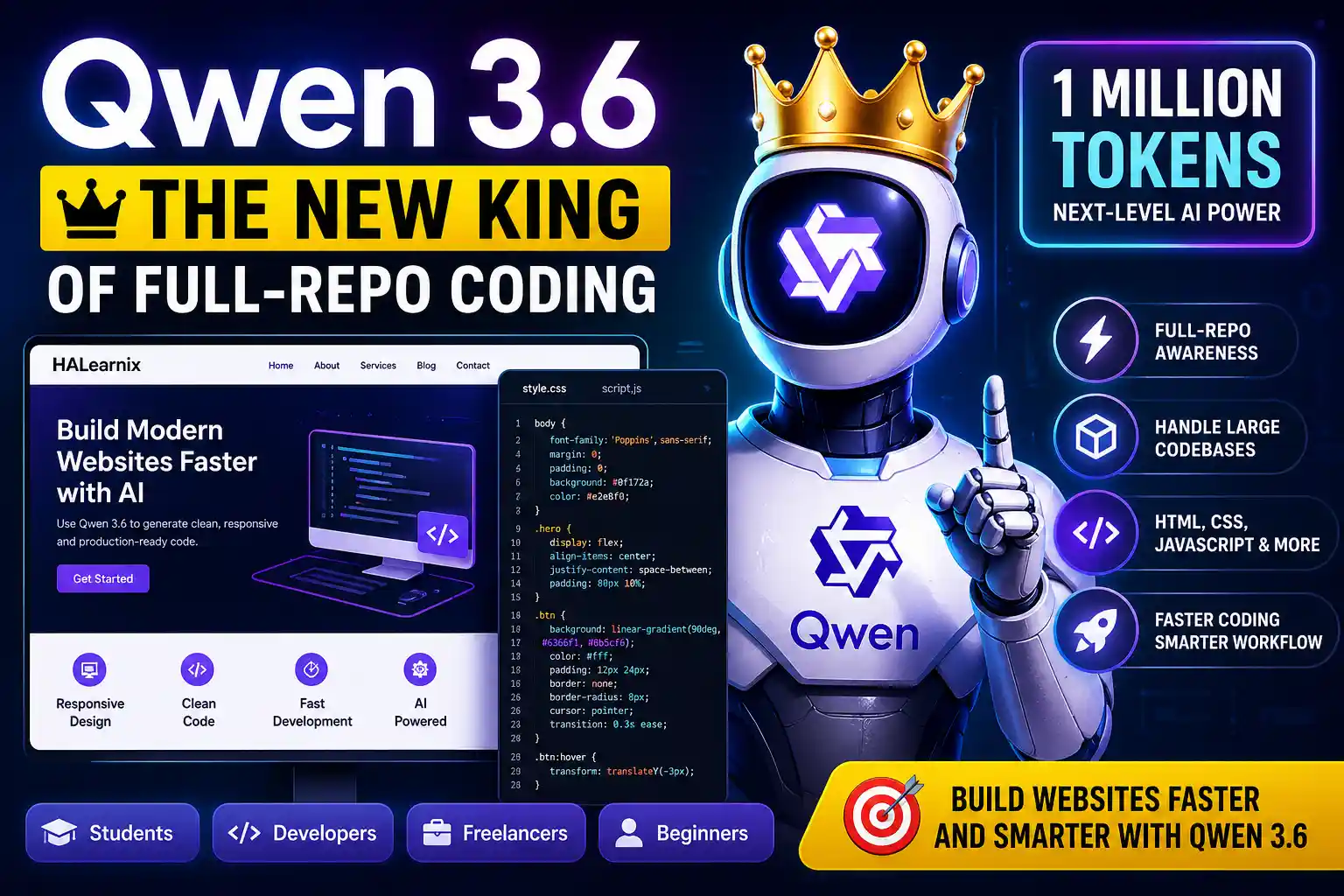
These days, most newcomers trying to learn Qwen 3.6 for web development, whether students or people entering the computer field, face significant difficulty building a website. Coding often becomes a source of frustration for them. When they first see code, they feel overwhelmed and mentally blocked. They don’t even know where to start or how to begin creating a website.
Because of these challenges, AI has become very helpful, especially a model like Qwen 3.6. It is extremely useful for beginners, whether they are new students or complete newcomers. If you want to learn how to take a website from zero to full development, this is a great place to start.
Want to explore more free AI tools alongside Qwen 3.6? Check out our Free AI Tools collection on HALearnix.
What Is Qwen 3.6 and How It Helps in Web Development
Qwen 3.6 is one of the most practical AI models available for web development right now. Built by the Qwen team at Alibaba Group, it understands plain language instructions and returns clean, ready-to-paste HTML, CSS, and JavaScript. You do not need to write complex prompts. Just describe what you want in simple words, and it drafts usable, structured code you can drop straight into your editor or project.
Qwen 3.6 stands out in frontend work for its ability to remember context across messages, maintain long conversations, and preserve prior instructions. It can design complex website layouts, catch bugs as you code, explain errors in plain English, and guide you through step-by-step fixes, similar to a senior developer. For beginners, these features transform the learning curve. You stop getting stuck and start shipping.
Why Use Qwen 3.6 Instead of Other AI Coding Tools
Right now, developers worldwide test multiple AI assistants before choosing one. But for balance, accurate output, clean structure, and accessibility, Qwen 3.6 stands out and leaves the others behind.
Its official platform highlights its strong web development capabilities. It can generate complete web pages from a simple prompt without complex steps or confusion.
You can also use Qwen 3.6 directly in your terminal, where it works as a terminal-based assistant. It reads your project files step by step, provides accurate suggestions, and asks for your approval before making any changes. Once you approve, it safely applies those changes.
This approval step is important. Just as if you were handing your work to someone else, you stay in control. Since it’s an AI model, it always takes permission before doing anything.
That’s what makes Qwen 3.6 highly reliable. It allows you to build and improve websites with AI support without getting stuck in complex configurations. If you are new to AI tools in general, our AI-Powered Learning Material cover exactly where to start.
How to Use Qwen 3.6 for Website Development (Step-by-Step)
Now, from this point, we will learn, step by step, how to use Qwen 3.6 to complete full web development.
Step 1 – Access Qwen 3.6
In the first step, open the official Qwen 3.6 website at https://chat.qwen.ai/. Creating an account is very easy and completely free.
Once you sign up, you will see the main chat interface like this:
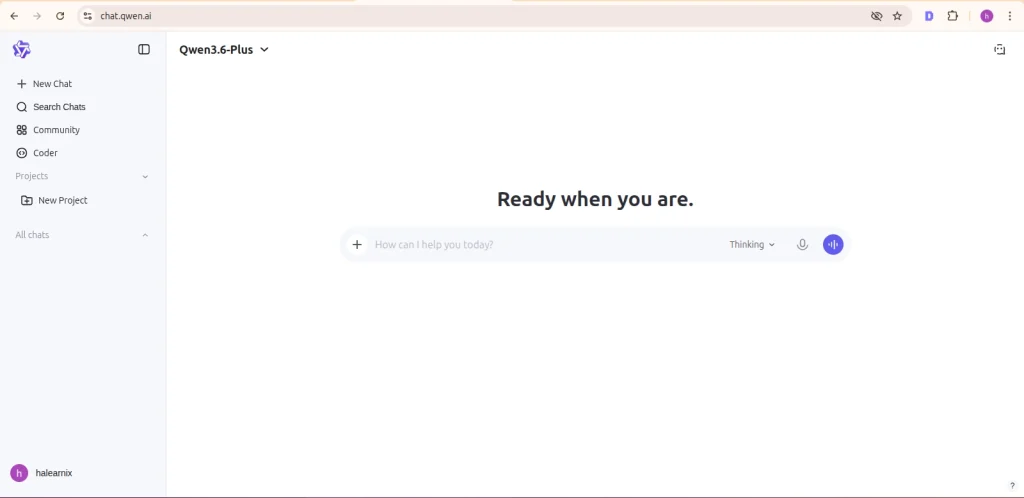
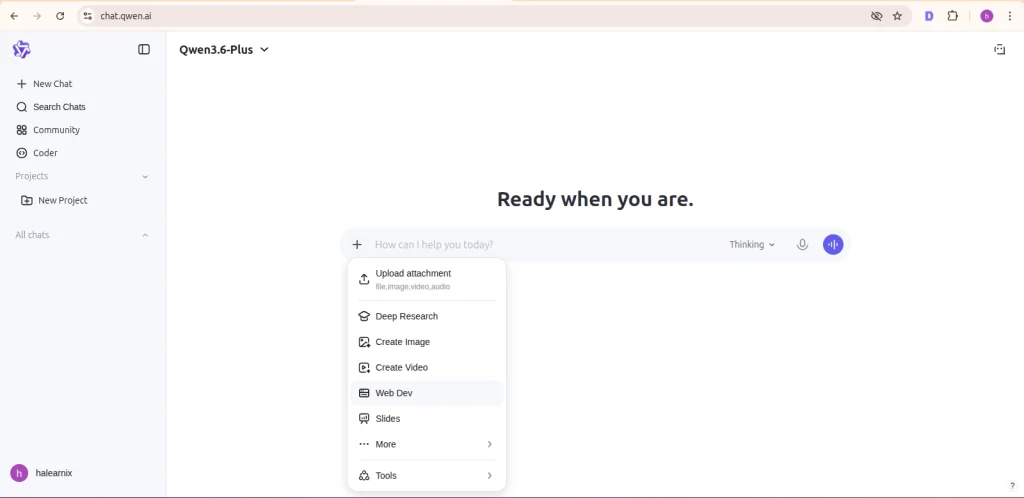
After that, where you normally write your message, you will see a plus (+) icon on the left side. Click on it, and you’ll find an option called Web Dev; just select it.
With this option enabled, Qwen 3.6 acts like a senior web developer assistant, helping you with everything related to web development.
STEP 2 – Define the Task Clearly
In this step, you need to clearly outline Qwen 3.6 web development task. Explain properly what kind of help you need and what you want it to create for you.
Step 3 – Write Your First Prompt To Generate Code For Website Development
Now at this step, we will use Qwen 3.6 to generate clean structure HTML code for our website development task.
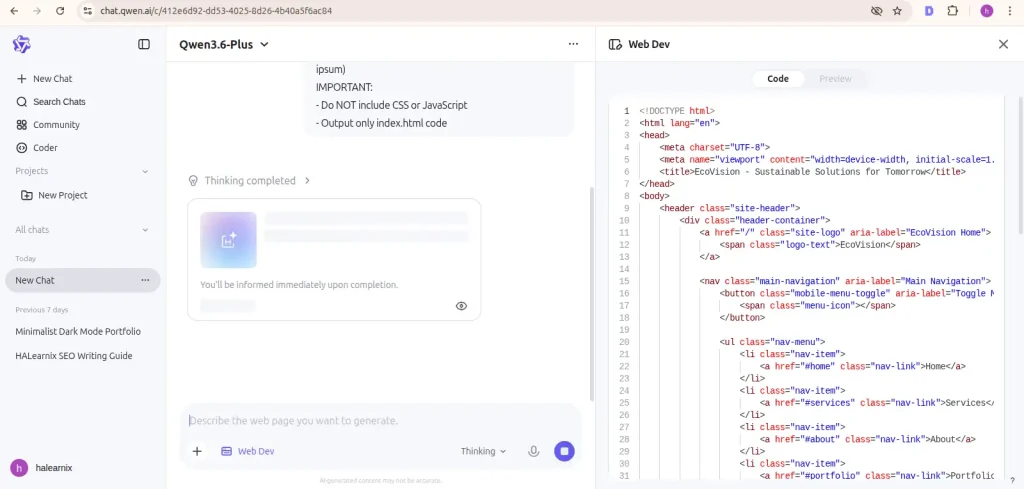
STEP 4 – CSS Styling Prompt For Your Website
In step 4, we will ask Qwen 3.6 to generate a clean CSS style structure for our website.
In this step, we clearly guide it on how we want our webpage to look. Basically, we give it a proper design so it can generate well-structured CSS code for us.
STEP 5 – Write Prompt To Add JavaScript Functionality
We will ask Qwen 3.6 to create a JavaScript file for our website.
In this file, we will add interactivity to our page. We will clearly explain how each section should behave, how the content should respond to user actions, and what features we want to include.
STEP 6 – Prompt For Debug and Improve Your Code
After we write the full code, the next important step is debugging.
If we see an error after running the project, we will not panic. We will proceed step by step to find the issue.
We will use Qwen 3.6 to debug the code line by line, identify issues, and fix them. It will help us make the project production-ready.
In this stage, we refine the code and resolve errors until it runs smoothly.
The Best Qwen 3.6 Prompts for Web Development
The better the prompt you provide, the better output you will get from AI.
If you give partial or vague instructions, you will always get messy results that are not useful, and you may feel like the AI is not working properly for you.
To improve your web development workflow, keep these high-quality Qwen 3.6 prompts saved. You can adjust them later according to your specific project needs.
Clear prompts = better code, better structure, and production-ready results.
1. The Premium Portfolio
2. The Advanced Secure Login Form
3. The Pixel-Perfect Layout
4. The Mobile Optimization
5. The Pro-Level Refactoring
Test each prompt in a fresh chat. Review the output line by line. Modify variables, colors, or breakpoints until the code matches your vision.
1 Million Tokens: Why Qwen 3.6 is the New King of Full-Repo Coding
Qwen 3.6 stands out because it can handle large projects without losing context. Its 1 million token capability allows you to work across multiple files, long code blocks, and extended sessions with better consistency.
This changes how people build websites. Instead of working on small pieces, you can guide the model through a full project step by step while it remembers what you already created.
The Qwen 3.6 workflow is suitable for all types of creators. Students can use it to understand syntax, learn programming languages, and practice coding in a more structured way. It helps them move faster because they can see working examples rather than starting from scratch.
One of its biggest strengths is how it explains solutions. The responses are written in simple, clear English, making learning easier and improving understanding over time.
Freelancers benefit from speed. Tasks like building layouts, fixing bugs, or creating sections can be completed much faster compared to manual work. To learn how to turn these development skills into real freelance income, read our Skill-to-Asset strategies.
It is also useful for people without a technical background. You can create simple website pages for personal projects without deep programming knowledge. You do not need a computer science degree to get started.
Another advantage of the 1 million token context is that it supports full-repository workflows. You can work on multiple sections, update existing code, and continue improving your project without restarting from scratch.
To get the best results, treat Qwen 3.6 like a junior developer working with you. Give clear instructions, break tasks into steps, and review the output carefully.
This approach keeps your code clean, improves your understanding, and helps you build real projects with confidence.
Why Your Qwen 3.6 Code Breaks (Common Mistakes to Avoid)
AI assistants and models are powerful, but each has its own bad habits and limitations if not used carefully. The biggest mistake is copying and pasting code from an AI without reviewing or understanding it. You may end up with broken links, unclosed tags, or insecure patterns. By checking, reading, and verifying AI-generated code, you gain more reliable, secure results and learn from the process.
Always verify and double-check AI output to get better outcomes and grow your skills. Our AI Powered guides cover practical workflows you can follow step by step.
Another major problem is giving unclear or incomplete prompts, like saying “make a website.” Every AI assistant will only do what you ask. If your instruction is vague, you’ll get a generic result that anyone can get. Then you might think AI does not work properly. To avoid this, always give clear prompts. Define your logic properly. Tell it exactly what you need, like: “Create a responsive website page using HTML and CSS with a clean and mobile-friendly design.” This way, it will generate cleaner code that looks better and works properly.
Finally, do not ignore the basics. Instead of depending solely on the model, use it as a guide. Read the explanations carefully. Make small code changes yourself. Test what happens. Through this process, real skill builds over time. Once you understand why a flex container behaves a certain way, layouts stop feeling confusing and start making sense.
Qwen 3.6 vs Other AI Tools for Web Development
Choosing the right AI tool for web development comes down to one question: which one actually helps you ship faster? Each tool has real strengths. But for frontend work specifically, the differences matter.
Qwen 3.6 produces clean, structured HTML, CSS, and JavaScript with minimal prompting. It holds context well across long conversations, which means it remembers your project structure, file names, and preferences without you repeating yourself. For rapid prototyping and multi-file projects, this is a major advantage.
ChatGPT handles complex debugging well and is strong when you need detailed explanations alongside code. Its plugin ecosystem is broad.
But for pure frontend drafting speed, it sometimes over-explains when you just need working code.
Gemini is useful when you are working with visual inputs. You can share a screenshot of a layout, and it will suggest CSS improvements. Its Google Workspace integration is genuinely useful for teams. However, for structured code output in long sessions, consistency can drop.
For web developers who need fast, clean, ready-to-paste code without heavy prompting, Qwen 3.6 holds the clearest edge.
| Feature | Qwen 3.6 🏆 | ChatGPT | Gemini |
|---|---|---|---|
| Clean HTML/CSS Output | Excellent | Good | Good |
| Context Retention | Strong | Strong | Moderate |
| Multi-File Projects | Handles Well | Moderate | Limited |
| Rapid Prototyping | Fast | Moderate | Moderate |
| Bug Explanation | Good | Excellent | Good |
| Visual/Screenshot Input | Limited | Moderate | Strong |
| Free Tier Access | Yes | Limited | Yes |
| Best For | Frontend Dev | Debugging | Visual Work |
Can You Build a Full Website Using Qwen 3.6?
Yes, you absolutely can build a website using Qwen 3.6, but always keep realistic expectations.
This AI model can generate all the files you need for website development, including HTML structure, CSS styling, JavaScript functionality, and even basic backend routes in different programming languages. It can provide accurate, useful code, but only when you give it clear, well-defined prompts.
The best approach is to break your project into small parts, generate outputs step by step, and gradually build your complete website.
AI writes great code, but it does not know your business. Qwen 3.6 cannot feel your brand voice or understand your specific hosting setup. You must check the final files for security and proper accessibility. You also need to compress your own images and handle the live deployment.
Treat every AI output as a very solid first draft. Test the buttons, polish the design details, and launch the final page with confidence.
Frequently Asked Questions About Qwen 3.6 for Web Development
Yes. Qwen 3.6 generates complete HTML, CSS, and JavaScript from plain language instructions. The output is a strong first draft, you still need to test it in your browser and refine it before using it in a real project. Think of it as a fast setup, not a finished product.
Yes, free access is available through several platforms, though daily usage limits may apply depending on where you use it. For learning and prototyping, the free tier is more than enough. Always check the official platform for the latest pricing before committing to a paid plan.
For rapid frontend drafting, HTML layouts, CSS styling, quick JavaScript, Qwen 3.6 is faster and more direct. ChatGPT is stronger when you need deep debugging help or detailed explanations alongside the code. Test both with your own project and keep the one that matches your workflow.
Absolutely. Qwen 3.6 explains code in plain language, catches errors, and guides you step by step, making it one of the most beginner-friendly AI tools for web development available right now. Pair it with basic learning resources and practice modifying the code it generates rather than just copying it.
For web development, it handles HTML, CSS, and JavaScript cleanly. It also works with modern frameworks such as React, Vue, and Tailwind CSS, as well as backend languages such as Python and PHP. The more specific your prompt, the more accurate and usable the output you get back.
What to Do Next?
Reading is the start. The real progress happens when you open the tool and try something yourself.
Pick one small task. Build one section. Fix one layout. That is how skills actually grow, one working result at a time.
Want to go further? Explore our Free AI Tools, built for real daily tasks like writing, coding, and content creation. No signup. No cost.
Or browse our AI-Powered Learning guides to find your next step, from beginner tools to building real digital assets.
If you are ready to turn what you learn into actual income, our Skill-to-Asset strategies show you exactly how to get there.
Start small. Stay consistent. Your first working result matters more than a perfect one.