
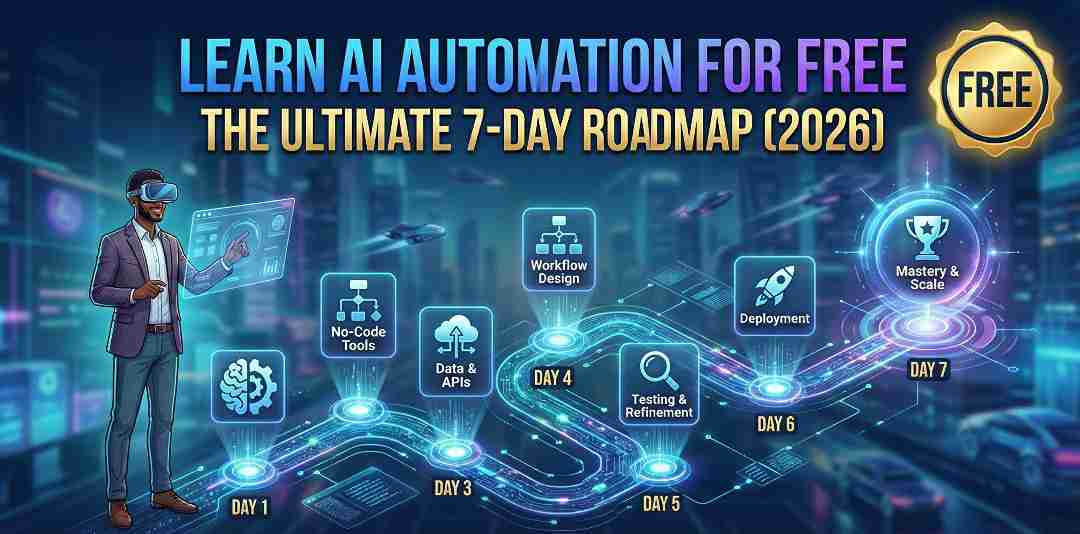
How to Learn AI Automation for Free: A Step-by-Step 7-Day Roadmap
Stop scrolling through $1,000 courses on YouTube. If your goal is to learn AI automation for free, you have found the only guide you need.
The “gurus” want you to believe that building an AI Automation Agency (AAA) is a secret club that requires a credit card to enter. Here is the truth: You do not need to pay a single dollar to master this skill.
Automation is not magic; it is logic. The tools are free, the documentation is open, and the demand is huge. Most beginners fail not because they lack money, but because they lack a plan. They try to build complex bots on Day 1, get overwhelmed, and quit.
This guide is different. This is a structured 7-Day Roadmap. We start from zero. By Day 7, you will have built 3 working automation systems and will be ready to sell your skills.
Let’s start your journey.
The “Zero-Cost” Digital Toolkit
Before we jump into the 7-day roadmap, you need to grab your tools. Don’t worry, you do not need a credit card. This is the exact software stack you need to learn AI automation for free without hitting paywalls.
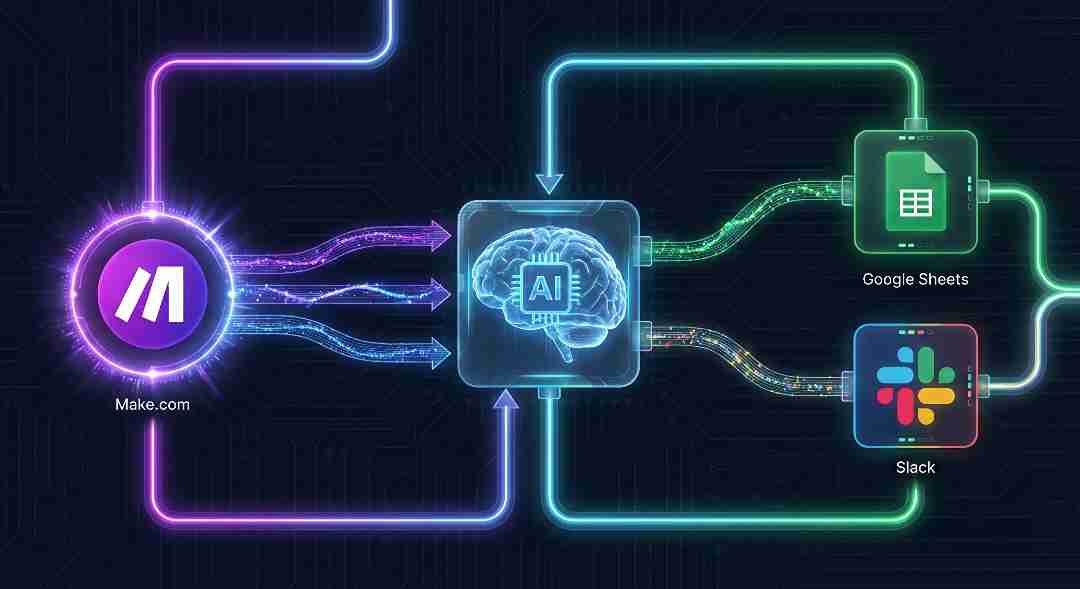
1. The “Connector”: Make.com
Most tutorials will tell you to use Zapier. Ignore them. For beginners, Make.com (formerly Integromat) is the superior choice.
- Why it wins: Make offers a visual “drag-and-drop” builder that lets you see your logic like a map.
- The Killer Feature: Unlike Zapier, Make.com’s free plan allows for multi-step automations (e.g., Gmail → ChatGPT → Slack). This is essential for building real systems.
2. The “Brain”: ChatGPT (Free Version)
Automation moves data, but AI understands it. You need a brain to process the information.
- Why it wins: You don’t need the paid API yet. The standard free version of ChatGPT is powerful enough to write emails, summarize text, and generate logic for your first bots. Send that text to ChatGPT with this optimized prompt.
3. The “Memory & Voice”: Google Sheets & Slack
Every good system needs a place to store information (Memory) and a way to talk to you (Voice).
- Google Sheets (The Database): This is your free hard drive. It is where your bots will automatically save leads, customer data, and content ideas.
- Slack (The Notification Center): Stop checking your email 100 times a day. Your bot will send you a real-time notification (using Slack Webhooks) the second a task is finished.
The 7-Day Roadmap: From Zero to Hero (Step-by-Step)
Stop watching endless tutorials. The only way to master this is to build. Follow this schedule strictly for one week. By the end, you will not just “know” about tools; you will have successfully learned AI automation for free by doing.
Day 1: The Language of Bots (“Triggers” & “Actions”)
Today is about the core concept. Every automation in the world, from a simple alarm clock to a complex AI agent—works on one simple logic: “If This Happens, Then Do That.”
- The Trigger (Start Button): This is the event that wakes up your bot.
- Example: “A new email arrives in my Inbox.”
- The Action (The Job): This is what the bot does after waking up.
- Example: “Send a notification to Slack.”
Your Task: Sign up for Make.com. Watch their official Make.com Academy guides (they are free). Build this: Connect Gmail to Slack. Set it so every time you receive an email, you get a Slack message. Don’t add AI yet. Just make two apps talk to each other.
Day 2: Connecting Your First Database (Google Sheets)
Businesses run on data. If you can move data automatically, you become valuable. Today, we will build a “Lead Logger.”
- The Project: Create a simple Google Form asking for a “Name” and “Email.”
- The Logic: Every time someone submits the form (Trigger), the bot catches the data and automatically creates a new row in a Google Sheet (Action).
Why this matters: This creates a “Database.” By removing manual data entry, you are saving hours. This is the foundational skill you need to learn AI automation for free effectively.
Day 3: Adding the “AI Brain” (Connecting ChatGPT)
This is the magic moment. We stop just moving data and start understanding it. We will inject ChatGPT into the middle of our bot.
- The Project: “The Smart Customer Feedback Analyzer.”
- The Logic:
- Trigger: A new feedback row is added to Google Sheets (e.g., “I hate your service”).
- AI Action: Send that text to ChatGPT. (Check the OpenAI Prompt Engineering Guide to write the best instructions).
- Prompt: “Is this feedback Positive, Negative, or Neutral? Reply with just one word.”
- Final Action: Update the Google Sheet row with the AI’s answer.
The Result: You now have a spreadsheet that “reads” itself and categorizes data automatically.
Day 4: Building a “Social Media Auto-Poster”
Content creation is exhausting. Let’s build a robot to do the heavy lifting. This is a classic automation that saves hours of work.
- The Project: “The LinkedIn Content Machine.”
- The Logic:
- Trigger: You write a simple topic in Google Sheets (e.g., “AI Tips for Students”).
- AI Action: ChatGPT writes a short, professional LinkedIn post about that topic.
- Action: Make.com posts it directly to your LinkedIn or Twitter profile.
Value: You just built a “Social Media Manager” robot that works for free.
Day 5: Error Handling (Making Your Bots Unbreakable)
Amateurs build bots that break. Professionals build bots that fix themselves. To sell your services, you must understand “Filters” and “Routers.”
- The Task: Experiment with the “Router” tool in Make.com.
- The Logic: Tell your bot:
- “If the AI sentiment is Negative → Send an email to the Support Team.”
- “If the sentiment is Positive → Send a ‘Thank You’ tweet.”
Why this matters: This is called “Conditional Logic.” It proves you can handle complex business scenarios, not just simple tasks.
Day 6: The “Lead Generation” Bot (A Sellable Asset)
Now we combine everything into a business asset that makes money. We will build a system that identifies high-value clients.
- The Project: “The Smart Sales Assistant.”
- The Logic: A user fills out a form → AI analyzes their budget → If they are a “High Value” client, the bot instantly sends an SMS to your phone.

Take it Further: If you want to build this using custom code for total control, check our detailed guide on How to Create AI-Powered Web Forms Using Python.
Day 7: Packaging Your Skill (Monetization)
You have the skills. You have the projects. Now you need to turn them into income.
- The Task: Do not just say “I know automation.” Show it. Record a simple screen-share video showing your “Social Media Bot” or your “Lead Gen Bot” in action.
Next Steps: Now that you have a portfolio video, you are ready to find clients. Read our step-by-step plan on How to Get High-Paying AI Clients on Upwork.
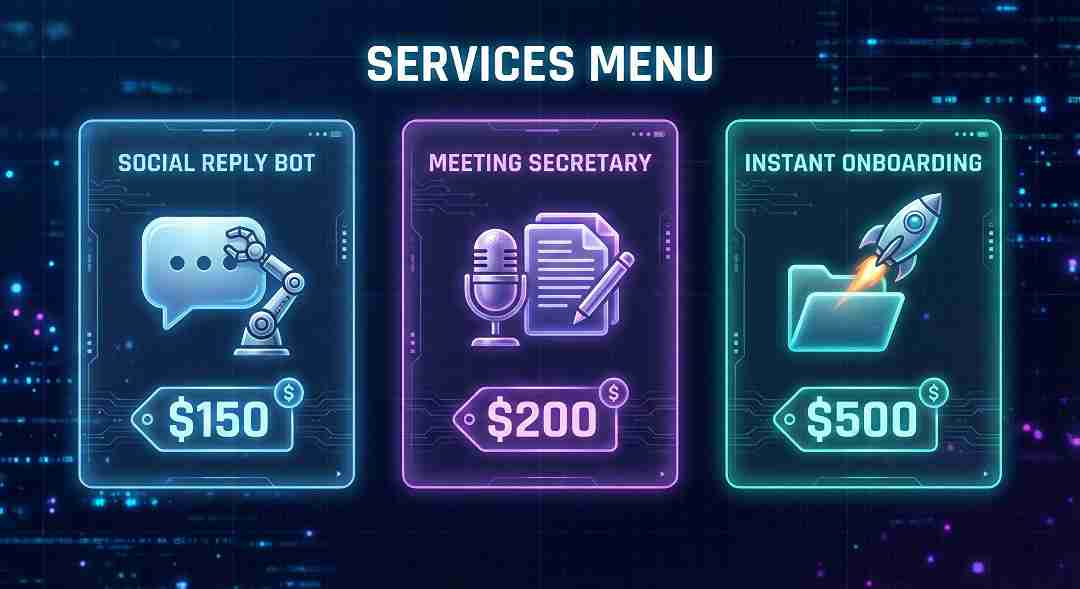
Bonus: 3 Automation Ideas You Can Sell Next Week
You didn’t just follow this roadmap to learn AI automation for free; you essentially built a toolkit of sellable products. Once you finish Day 7, you can package these exact skills and offer them as “Micro-Services” to local businesses immediately.
Here are 3 high-demand bots you can build and sell:
1. The “Always-On” Social Reply Bot
Target: Restaurants, Gyms, Real Estate Agents.
- The Problem: Small business owners lose customers because they are too busy to reply to Facebook/Instagram comments instantly.
- Your Solution: Build a Make.com automation that detects a new comment, uses AI to generate a friendly, context-aware reply, and posts it instantly.
- Sell it for: $100 Setup + $50/month (Maintenance Retainer).
Step-by-Step Guide: Learn exactly how to build this in our article: How to Build an AI Chatbot for Local Business.
2. The “Automated Meeting Secretary”
Target: Marketing Agencies, Consultancies.
- The Problem: Everyone hates taking meeting notes. It is boring, time-consuming, and expensive.
- Your Solution: An automation that watches a Google Drive folder for a new Zoom transcript. It sends the text to ChatGPT to summarize key “Action Items” and instantly Slack’s the summary to the whole team.
- Sell it for: $200 Flat Fee (Per setup).
Pro Tip: This tool saves 5+ hours a week. Learn how to invest that saved time efficiently in our guide: Time Management for Side Hustlers.
3. The “Instant Onboarding” System (High Value)
Target: Coaches, SaaS Companies, Service Providers.
- The Problem: When a client signs a contract, the manual admin hell starts (creating folders, sending emails, adding to Slack).
- Your Solution: A single “Master Automation” that triggers when a contract is signed. It automatically:
- Creates a Google Drive folder.
- Sends a Welcome Email with login details.
- Creates a dedicated Slack channel for the client.
- Sell it for: $300 – $500 Setup. (This saves them 5+ hours of manual work per client).
FAQs: How to Learn AI Automation For Free
Not at all. Coding is completely optional. The strategy in this roadmap uses “No-Code” tools like Make.com, where you simply drag and drop visual blocks. However, knowing a little code is a superpower for advanced bots. (When you are ready for that step, check our guide on How to Create AI-Powered Web Forms Using Python).
Yes, you can absolutely start with $0. With 1,000 free monthly operations, Make.com’s “Free Forever” plan is enough to build and run every bot in this 7-day roadmap. Combined with the free version of ChatGPT, you have a complete enterprise-grade stack without spending a dollar.
Because Zapier’s free plan is too limited. Zapier does not allow “multi-step” automations on its free tier (e.g., Gmail → ChatGPT → Slack). Make.com does. It is the best platform to learn AI automation for free because it lets you build complex, logic-based workflows without hitting a paywall immediately.
The ROI is massive. Businesses pay for time saved, not code written. A simple “Social Media Auto-Poster” that saves a client 5 hours a week can be sold for a $200-$500 setup fee, plus a monthly maintenance retainer.
Conclusion: You Are No Longer Just a “Learner”
You have successfully unlocked the roadmap to learn AI automation for free. Seven days ago, you were searching for a way in. Today, you hold the keys to three working AI bots and a skill set that businesses are desperate to pay for.
Let’s recap what you have achieved:
- Mastered the Tools: You built real systems using Make.com and ChatGPT without spending a dollar.
- Shifted Mindset: You moved from a consumer of technology to a builder.
- Created Assets: You aren’t just saving time; you are building a financial roadmap that scales.
You proved that you don’t need expensive degrees or premium bootcamps. You just needed curiosity, the right tools, and a structured plan.
Stop Dreaming, Start Building
Don’t let this knowledge sit idle. Start Day 1 right now. Create your free Make.com account and build your first trigger.
Which automation from this roadmap will you build first? The “Social Media Bot” to save time, or the “Lead Generator” to make money?
Let me know in the comments below!
Want more financial roadmaps? To discover more step-by-step guides on turning skills into digital assets, explore our full HALearnix Blog Library.
