


How to Use AI for Local Business: 5 Proven Ways to Automate & Grow
If you are drowning in admin work and wondering how to use AI for local business to get your life back, you are in the right place. You didn’t start your company to spend hours answering emails at 11 PM or struggling to write Instagram captions.
Most owners think Artificial Intelligence is only for tech giants like Google or Amazon. They are wrong.
AI is actually the secret weapon for small players. It’s not about bringing in scary robots; it’s about hiring a “Smart Assistant” that works 24/7 for free, handling the repetitive tasks so you can focus on serving customers.
For local owners, AI streamlines three core areas:
- Customer Service Automation: Answer 80% of FAQs instantly, around the clock, without lifting a finger.
- Marketing Automation: Generate weeks of social media posts, emails, and ad copy in minutes.
- Reputation Management: Automatically respond to reviews and boost your star rating while you sleep.
In this guide, I will show you 5 practical, real-world ways to deploy these tools and turn your busy work into business growth.
What Is AI for a Local Business?

Many owners get confused by the jargon. Simply put, AI is not about replacing your staff with robots.
Mastering how to use AI for local business means leveraging smart software to handle the repetitive tasks that eat up your day: answering the phone, chasing leads, and managing reputation.
It is about “Operational Efficiency” without the high cost.
The Core Components:
- Who is this for? Any Small to Medium Enterprise (SME) serving a geographic area, salons, dental clinics, restaurants, plumbers, and retailers.
- The Tech Stack: We aren’t building code. We use Generative AI tools like ChatGPT, Tidio, and Canva to do the heavy lifting.
- The Goal: To reduce manual admin work, respond to customers in seconds (not hours), and drastically improve client retention.
Why Now? In 2026, AI has become affordable and “No-Code.” This means you no longer need a tech team to implement it; you just need a plan.
5 Practical Ways to Automate Your Business with AI
Here are five tested, practical workflows for how to use AI for local business, complete with exact steps, real-world examples, and the tools you need.
1. The 24/7 Employee: Automate Customer Service
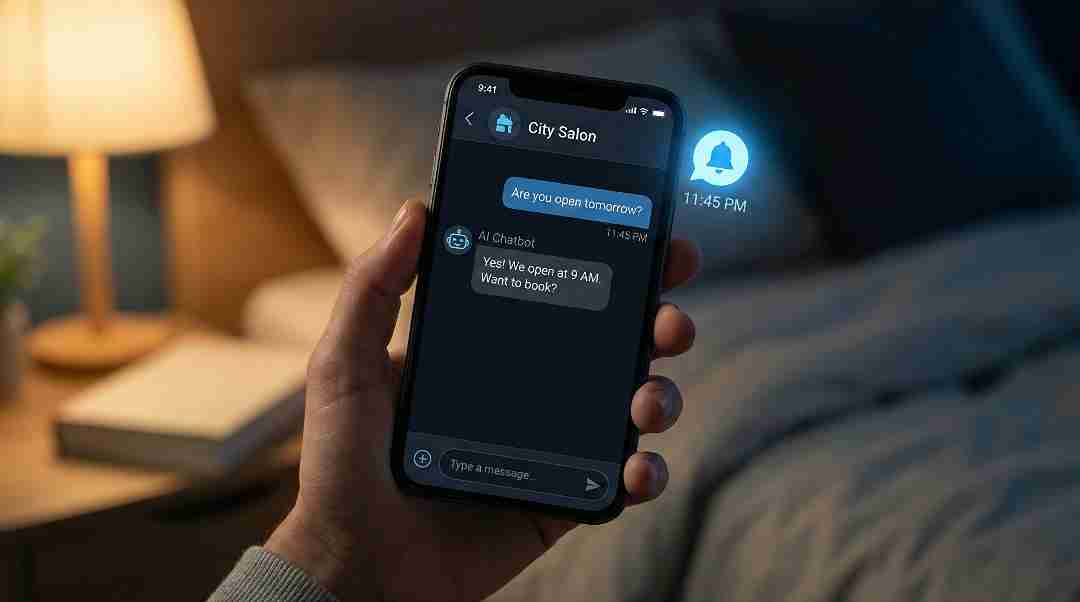
The Problem: You run a local salon, but you close at 6 PM. At 8 PM, a potential customer asks: “Do you offer balayage?” Without an instant response, they book somewhere else.
The AI Solution: Deploy an AI chatbot that learns your services and prices to handle 80% of customer questions instantly, day or night.
Workflow:
- Sign up for a no-code tool like Tidio, Botpress, or another AI chatbot platform.
- Use the “AI Onboarding” feature to scan your website URL (e.g.,
yourbusiness.com/services). - Train the Bot: Input common FAQs like “What are your hours?” or “How much is a haircut?”
- Deploy: Add the widget to your website footer.
Pro Tip: Make sure the bot greets visitors proactively (“Hi! Need help with pricing?”) to increase engagement.
Impact
- Open for Business 24/7/365: Capture the “night owl” customers who browse at midnight, without paying a single dollar in overtime wages.
- Never Miss a Sale Again: Stop losing potential clients to competitors just because they picked up the phone faster. Instant answers = Instant bookings.
- Sky-High Customer Loyalty: Speed is the new currency of trust. When you reply instantly, customers feel valued and are 3x more likely to return.
- Zero Staff Burnout: Let the bot handle the repetitive “What are your prices?” questions so your team can focus on high-value VIP clients.
Read our latest AI-Powered guide on How to Build an AI Chatbot for Local Business.
2. The Marketing Assistant: 30 Days of Content in 1 Hour

The Problem: You know you should post on Instagram, but running your business keeps you too busy to brainstorm captions.
The AI Solution: Use AI as your “Social Media Manager” to brainstorm ideas, write captions, and design graphics.
Workflow:
“Act as a social media manager for a local [Pizzeria] in [City Name]. Give me 30 content ideas for the next 30 days. Include a mix of ‘Behind the Scenes’, ‘Special Offers’, and ‘Customer Testimonials’.”
- Open Canva Magic Design and prompt: “Create an Instagram post graphic for a ‘Tuesday 2-for-1 Special’. Use warm colors and a professional style.”
- Generate the design, customize if needed, and schedule posts via a social media scheduler (like Buffer or Hootsuite).
Impact:
- Dominant Brand Presence: Show up in your customer’s feed daily, keeping your business top-of-mind without the manual grind.
- Eliminate Creative Fatigue: Never stare at a blank screen again. Let AI handle the “ideation” while you focus on running the floor.
- Agency-Level Results for $0: Get professional-grade captions, graphics, and strategy without paying a marketing agency a $2,000/month retainer.
- Higher Engagement: AI analyzes trends, helping you create content that people actually want to like and share.
3. The Reputation Manager: Respond to Reviews Instantly
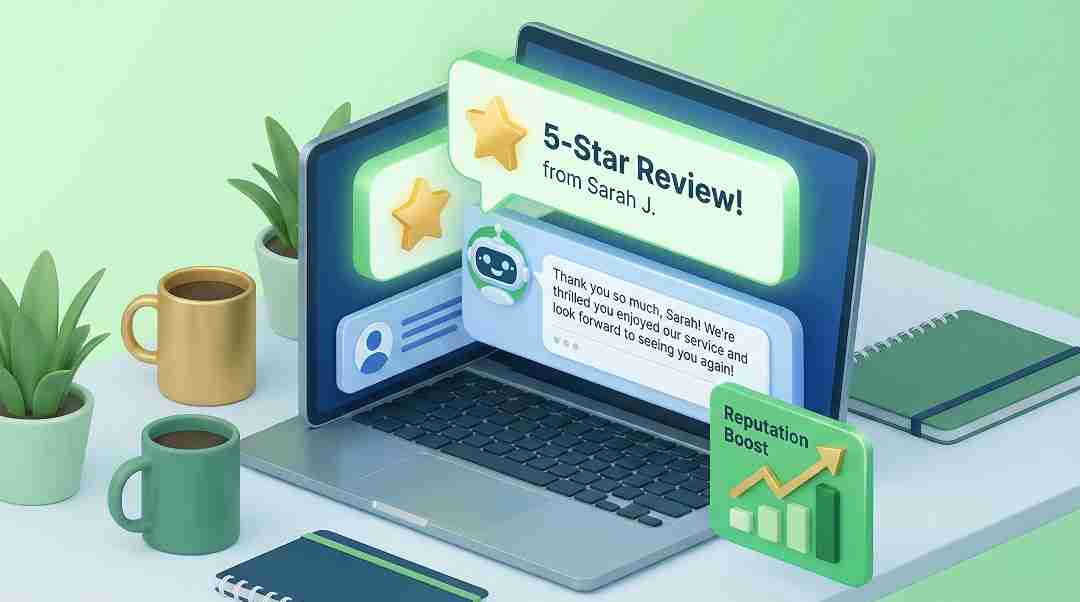
The Problem: A happy customer leaves a 5-star review, but you forget to reply, making you look uninvolved.
The AI Solution: Use AI to write personalized, professional responses to reviews in seconds.
Workflow:
- Copy the customer’s review.
- Paste it into ChatGPT or Google Gemini.
“Write a short, warm, and professional thank-you message to this reviewer. Reference that they liked the ‘Vegan Pizza’ and the ‘Friendly Staff’.”
- Post the reply on Google My Business or Yelp.
Why This Matters for SEO: Search engines reward businesses that actively manage reviews. Consistent replies signal Trust and Engagement, boosting your Local SEO ranking.
Impact:
- Skyrocket Local SEO: Google’s algorithm favors businesses that respond quickly. More active replies = Higher ranking on Google Maps.
- Build Unbreakable Trust: Customers trust brands that engage. A thoughtful, instant reply can turn a frustrated customer into a loyal fan.
- Stop the “Copy-Paste” Grind: Save hours of typing. AI ensures every response sounds genuine and unique, not like a robotic template.
4. The Content Strategist: Generate Local SEO Blogs
The Problem: You are a plumber or chiropractor, not a writer. You don’t know what to blog about to attract local clients.
The AI Solution: Let AI find blog topics that local customers are actually searching for.
Workflow:
- Ask ChatGPT: “Act as a local [HVAC company] in [City]. Give me 5 blog topic ideas that local homeowners might search for in Winter.”
- Example Result: “How to Prevent Frozen Pipes in [City Name]”
- Draft the Post: Ask AI to write a 500-word draft using a helpful, friendly tone.
- Localize It: Edit the draft to include local landmarks, your business name, and region-specific keywords.
Next Level: Want to establish yourself as an authority? Read our guide on: How to Build a Personal Brand to learn how to position your expertise.
Impact:
- Skyrocket Local Traffic: Dominate Google search results for specific, city-based queries (e.g., “Plumber in [City]”).
- Niche Authority: Become the “go-to expert” in your area. Educational content builds massive trust before you even meet the client.
- Zero-Cost Marketing: Stop paying expensive agencies for basic blog content. You own the asset forever.
- High-Quality Leads: Attract customers who are already looking for a solution, rather than cold-calling them.
5. The Gatekeeper: Filter Spam & Score Leads
The Problem: Your “Contact Us” form gets flooded with spam, making it hard to spot serious leads.
The AI Solution: Use an AI-powered form that filters spam and highlights high-quality leads automatically.
Workflow:
- Use a platform like Jotform AI.
- Set up fields like “Budget” and “Service Needed.”
- AI Analysis: The tool will flag “Hot Leads” (e.g., Budget > $1,000) and filter out spam bots.
- Auto-Reply: Send a personalized AI email to serious inquiries immediately.
For Developers: If you know coding, you can build a custom solution. Check out our technical guide: How to Create AI-Powered Web Forms Using Python.
Impact:
- Ironclad Spam Defense: Eliminate 99% of junk submissions and “SEO service” pitches so your inbox only contains real business opportunities.
- Speed-to-Lead: Respond to high-value inquiries in seconds, securing the client before your competitor even checks their email.
- Prioritized Profit: Stop guessing who to call first. The AI highlights the “big ticket” jobs, ensuring you focus your energy where the money is.
- Mental Clarity: No more “inbox anxiety.” You can finally trust that every notification on your phone is actually worth your time.
Real-World Case Study: How Sara Saved 10 Hours/Week
Meet Sara, a local salon owner who was drowning in admin work. She loved styling hair but hated the endless emails and Instagram pressure.

Here is the exact AI Automation Stack she used to reclaim her time:
- Customer Service: She installed a Tidio Chatbot (Strategy #1). Now, 80% of incoming questions regarding bookings and prices are answered instantly, even at 2 AM.
- Social Media: Every Sunday, she spends just 30 minutes on Strategy #2. She uses ChatGPT to script a week of content and Canva Magic Design to create the visuals.
- Review Replies: She copies new 5-star reviews into ChatGPT (Strategy #3). The AI crafts warm, personalized responses mentioning specific details like “relaxing experience,” boosting her Local SEO.
- Local Blogging: She asked AI for blog ideas relevant to her city (Strategy #4). Her new post, “Best Haircut in [City Name],” is now bringing in organic traffic from Google.
- Lead Filtering: Using Jotform AI (Strategy #5), she automatically flags high-value wedding bookings so she can call them first, ignoring the spam.
The Monthly Results:
- Time Saved: 40+ Hours/Month on manual admin work.
- New Revenue: 3 New Clients per month (directly attributed to the chatbot and blog).
- Brand Growth: Higher Google rankings due to consistent review activity.
- Mental Health: Zero stress about “missed DMs” or “what to post today.”
Action Plan: How to Use AI for Local Business in 3 Steps
Here is a simple, non-techie roadmap to start automating your business immediately, even if you have zero technical skills.
Step 1: Pick ONE Pain Point
Don’t try to automate everything at once. That leads to overwhelm. Ask yourself: What is my biggest drain right now?
- Is it answering the phone?
- Is it posting on Instagram?
- Is it filtering spam emails? (Pick just one).
Step 2: Choose Your Weapon (Tool)
Once you know the problem, pick one free or low-cost tool to solve it:
- For Chat: Tidio (Free plan available).
- For Content: ChatGPT (Free).
- For Design: Canva Magic Design.
- For Lead Filtering: Jotform AI.
Step 3: The “Power Hour”
Time is the biggest barrier. Set aside 60 minutes this Tuesday.
- Mins 0-20: Sign up for the tool.
- Mins 20-40: Watch one tutorial video.
- Mins 40-60: Build your first simple workflow.
The Result: By the end of the hour, you will have your first AI employee working for you.
FAQs: Common Questions on Using AI for Local Business
Q1: What is the best way for a total beginner to start?
Start with a Chatbot (Strategy #1) or Social Media (Strategy #2). These are user-friendly and don’t require coding. We recommend using the free versions of ChatGPT, Tidio, or Canva AI to see an immediate impact on your workflow without spending money.
Q2: Will AI replace me or my staff?
Not at all. AI is a tool, not a replacement. It acts as a “Force Multiplier,” handling repetitive data entry and FAQs so your staff can focus on high-value tasks like customer relationships, quality control, and closing sales.
Q3: How much will AI tools cost for a small business?
Most tools offer generous free tiers. Platforms like ChatGPT, Canva, and Tidio allow small businesses to start with $0 upfront cost. You typically only need to upgrade to paid plans (usually $20-$30/month) once you start scaling significantly.
Q4: Can I use AI for sales and lead generation?
Absolutely. AI excels at qualifying leads. By using the “Gatekeeper Workflow” (#5), you can automate lead scoring, filter out spam, and ensure your sales team only talks to high-potential customers who are ready to buy.
Q5: Is AI secure for customer data?
Yes, if you choose trusted platforms. Always use reputable tools that comply with data protection laws (like GDPR). Pro Tip: Never paste sensitive passwords or credit card info into a public AI chat; use enterprise-grade tools for sensitive data.
Conclusion: Make Your Business Smarter Today
Let’s be clear: Learning how to use AI for local business is not some futuristic fantasy, it is a practical, affordable, and powerful way to save time and boost revenue.
You now have a clear, expert-backed roadmap to success:
- Filter Leads: Use AI forms to find your best customers automatically.
- Automate Support: Use chatbots to answer customers 24/7.
- Scale Marketing: Create a month of social media content in 1 hour.
- Boost Reputation: Reply to reviews instantly with authenticity.
- Dominate SEO: Generate local blog content that ranks.
Your Turn: Which Strategy First?
You don’t need to be a tech expert, just a smart business owner who is ready to evolve.
Commit just one hour this week. Which workflow will you implement first? Is it the “AI Chatbot” to save sleep, or the “Reputation Manager” to get more stars?
👇 Leave a comment below with your choice. I’d love to hear your plan and help you refine it!
Want more automation secrets? ➡️ Explore All Our AI-Powered Business Guides on HALearnix to turn your local shop into a digital powerhouse.
