
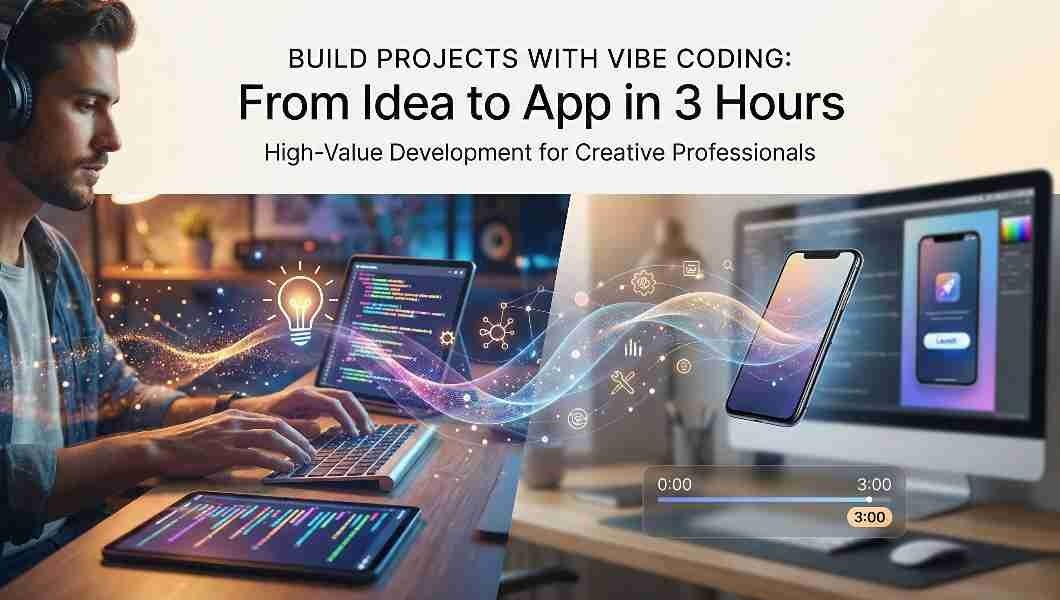
Build Projects with Vibe Coding: Your 3-Hour Guide from Idea to Working App
Ever had an app idea but no coding skills? What if you could build projects with vibe coding and turn concepts into working apps in hours, not months?
I was skeptical too, until I built a full task management app in just three hours. The secret isn’t just AI tools, but a proven process that ensures your AI development journey is fast, secure, and professional.
In this guide, I’ll show you the exact steps to go from idea to deployed app. Let’s build something amazing.
What is Vibe Coding and Why It’s Revolutionizing Development
When you learn how to build projects with vibe coding, you aren’t just writing code, you’re embracing a fundamental shift in software creation. Instead of manually typing every bracket and semicolon, you describe your vision in plain English, and AI translates your words into functional, working applications.
Here’s the perfect analogy: you become the architect designing the blueprint, while AI acts as the construction team bringing it to life. Your role transforms from a hands-on coder to a strategic director. You focus on the big picture, testing, and refinement, while AI handles the technical implementation.
The impact is real. Recent Google AI research confirms that developers using these tools report 30-50% faster project completion without sacrificing quality. This isn’t about replacing human creativity; it’s about amplifying it. By adopting this AI-assisted workflow, you’re not just keeping up with trends; you’re working smarter, faster, and more creatively than ever before.
The Essential AI Tools You Need
Forget about expensive software licenses. You can kickstart your AI development journey completely for free. Many industry-standard tools offer generous starter plans, perfect for testing your ideas before committing.
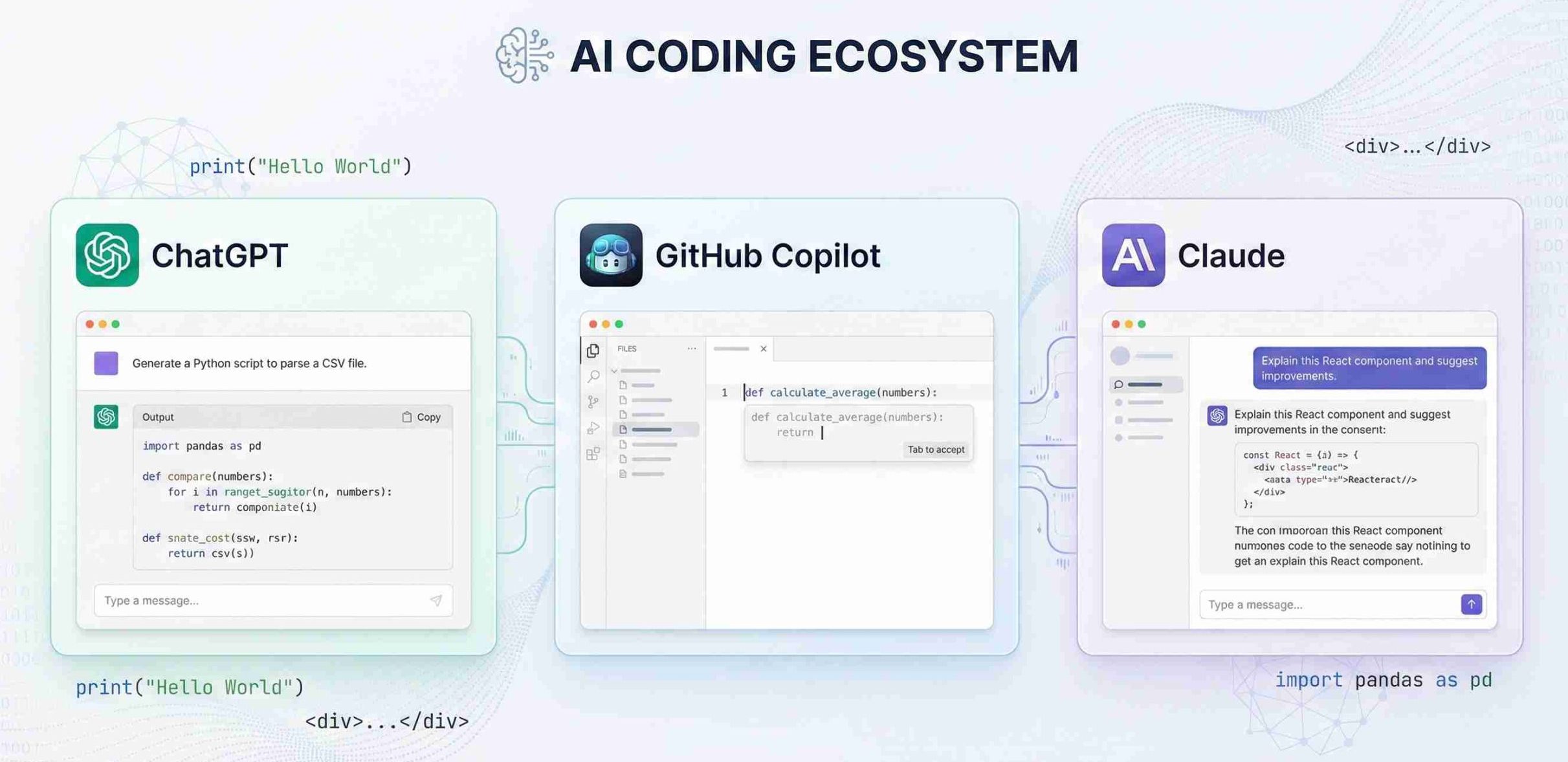
Free Tools to Start Build Projects with Vibe Coding Today:
- Cursor with AI Agent – Perfect for intuitive code generation and editing.
- GitHub Copilot Free Tier – Excellent for autocomplete and code suggestions.
- Claude Code – Specializes in natural language understanding for complex projects.
- Replit AI Features – Ideal for browser-based development and collaboration.
Professional Tools When You’re Ready to Scale:
- Amazon CodeWhisperer – Enterprise-grade for large projects.
- Tabnine Pro – Superior for team environments and code consistency.
- Sourcegraph Cody – Best for understanding and navigating existing codebases.
If you’re completely new to AI development tools, our guide on AI-assisted development fundamentals provides the perfect starting point to ensure you launch your first AI project successfully from day one.
using AI development tools like DeepSeek for coding.
Step-by-Step Implementation Guide
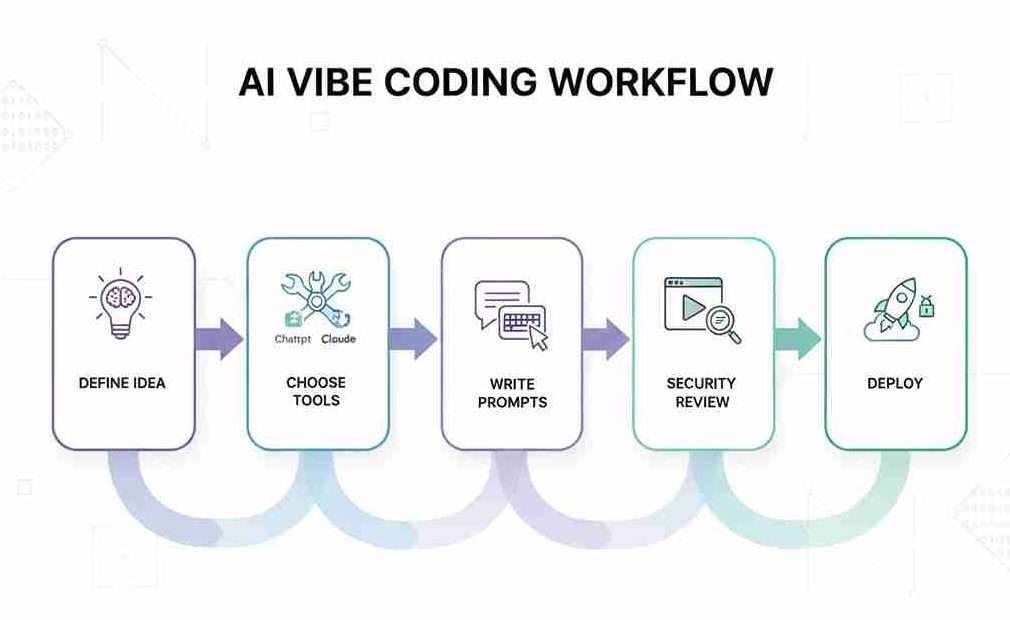
Step 1: Define Your Project with Crystal Clarity
Before you write your first prompt, you need absolute clarity about what you’re building. Think of this as giving GPS coordinates to your AI assistant, the more precise you are, the better it can navigate to your destination.
Ask yourself these crucial questions:
- What specific problem does this application solve?
- Who is the ideal user and what do they truly need?
- What 3-5 features are absolutely essential for launch?
- What does “done” look like for the first version?
This clarity upfront ensures you create functional apps that actually meet real needs, saving you countless hours of revisions later.
Step 2: Set Up Your Development Environment for Success
To succeed with this workflow, you need the right foundation. Choose tools that support rapid iteration and testing—speed is the heartbeat of the prompt-feedback-refine cycle that makes Vibe Coding so powerful.
Your Essential Setup:
- AI-Integrated Code Editor (Cursor or VS Code with Copilot).
- Local Development Server for instant testing.
- Version Control (Git) to track changes and experiment fearlessly.
- Testing Framework to validate AI-generated code.
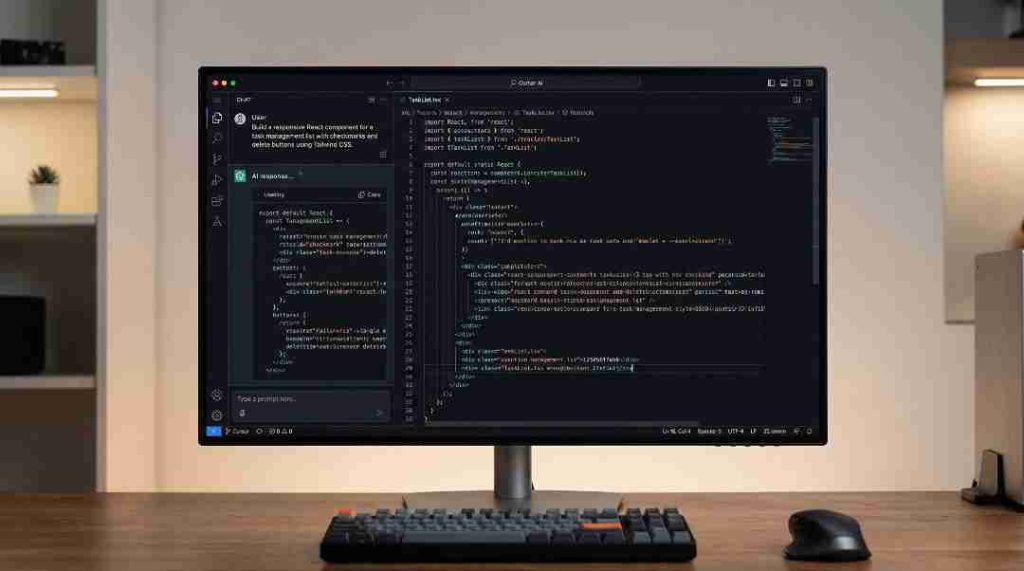
Step 3: Master the Art of Prompt Engineering
Your prompts are the blueprint that determines whether you successfully generate a working app or end up with confusing, unusable code. The difference between amateur and professional results often comes down to prompt specificity.
Instead of: “build a todo app”
Use This Detailed Framework:
“I need a responsive web-based task management application with these specific features:
- Secure user authentication system.
- Full CRUD operations for tasks (create, read, update, delete).
- Due date tracking with calendar integration.
- Priority levels with visual indicators.
- Local storage persistence for offline functionality.
- Mobile-first responsive design using Tailwind CSS.
- Dark/light mode toggle.
- Task categorization with custom tags.
Learn AI Ghostwriting: Clear your communication and develop the best prompts.
Step 4: Implement Rigorous Testing from Day One
When you generate code with AI, testing becomes your most crucial quality control checkpoint. Remember, machine-generated output requires a fundamentally different verification strategy than traditional development:
Your AI Testing Protocol:
- Immediate Execution: Run the generated code within minutes of creation.
- Feature Isolation: Test each component individually before integration.
- Edge Case Exploration: Intentionally break things with unexpected inputs.
- Security Validation: Verify authentication, input sanitization, and data protection.
- Cross-Platform Verification: Test across browsers, devices, and screen sizes.
Step 5: Master the Iteration Cycle for Perfect Results
The true power of Vibe Coding lies in this refinement loop. With every iteration, you get closer to a polished, professional result:
The 5-Step Iteration Process:
- Generate: Create initial code based on your detailed prompt.
- Test & Document: Identify issues and maintain a “bug log”.
- Refine Prompts: Add specific improvements like “Fix the login timeout issue” or “Improve mobile button sizing”.
- Regenerate: Create improved code versions.
- Validate: Verify all previous fixes work while checking for new issues.
Pro Tip: Save each prompt version and its resulting code. This creates a valuable knowledge base that makes future projects even faster and more successful.
Step 6: Security Review – Your Non-Negotiable Safety Check
When building applications with AI, security cannot be an afterthought. AI-generated code often contains hidden vulnerabilities that require expert oversight. Treat every generated line as potentially unsafe until proven otherwise.
Your Essential Security Checklist:
- Eliminate Hardcoded Secrets: Never leave API keys, passwords, or tokens exposed in your codebase.
- Validate Every User Input: Implement strict input sanitization to prevent injection attacks.
- Audit Authentication Flows: Ensure proper session management and authorization checks.
- Scan for Common Vulnerabilities: Use automated tools to detect XSS, CSRF, and SQL injection risks.
- Leverage Security Tools: Integrate OWASP ZAP and similar scanners into your workflow.
Step 7: Documentation and Long-Term Maintenance
The final step to mastering this workflow is ensuring your creation remains usable and maintainable over time. AI-generated code without proper documentation becomes unmanageable technical debt within months.
Your Maintenance Framework:
- Comprehensive Documentation: Record architecture decisions, prompt strategies, and code rationale.
- Procedural Guidelines: Create clear maintenance protocols for future updates and bug fixes.
- Monitoring Systems: Implement logging, error tracking, and performance monitoring from day one.
- Update Schedule: Plan regular refactoring sessions and dependency updates every 3-6 months.
Common Mistakes (And How to Avoid Them)
Mistake 1: Blind Trust in AI-Generated Code.
Many developers who adopt Vibe Coding make the critical error of treating AI output as perfect. This creates ‘black box code’, a dangerous trap where you don’t understand how your own application actually works.
Solution: Always conduct code reviews. Read through every generated section, add comments, and ensure you comprehend the logic. Use AI as your coding assistant, not your replacement.
Mistake 2: The Security Shortcut.
Skipping security reviews in this AI-driven workflow is like building a house without inspecting the foundation. AI often generates code with hardcoded credentials, weak validation, and other vulnerabilities.
Solution: Implement mandatory security scanning in your workflow. Use tools like OWASP ZAP and never deploy without penetration testing. Your reputation depends on it.
Mistake 3: Vague Prompting.
Generic prompts like ‘make a website’ guarantee disappointing results when you rely on Vibe Coding. The AI can’t read your mind, it can only work with the specific instructions you provide.
Solution: Invest 10-15 minutes crafting detailed prompts. Include specific requirements about functionality, design, security, and performance. Quality input = quality output.
Mistake 4: Technical Debt Accumulation.
The speed of vibe coding creates a hidden danger: massive technical debt. Without proper maintenance planning, your quickly-built project becomes unmaintainable within months.
Solution: Schedule weekly refactoring sessions. Ask AI to optimize, document, and clean your code regularly. Treat maintenance as non-negotiable, not optional.
Remember: The goal isn’t just to build projects with vibe coding – it’s to build projects that last, perform, and maintain value over time. These practices ensure your AI-assisted development creates professional results, not temporary prototypes.
Advanced Techniques for Pro Developers
Once you’ve mastered the fundamentals of Vibe Coding, these advanced strategies will elevate your AI-assisted development from basic to exceptional.
Technique 1: Context-Aware Development.
Move beyond isolated prompts by providing the AI with your entire codebase context. When you leverage Vibe Coding with full context awareness, the AI understands your existing architecture, coding patterns, and dependencies, generating code that seamlessly integrates rather than creating standalone components.
Technique 2: Multi-Step Prompt Chaining.
Transform your development workflow by breaking complex features into connected prompt sequences. Instead of one massive prompt, create a chain like: ‘First, build the user authentication framework’ → ‘Now, add profile management to the existing auth system’ → ‘Finally, integrate payment processing.’ This builds features systematically with fewer errors.
Technique 3: Automated Testing Generation.
Leverage AI to create comprehensive test suites as you generate code. Prompt: ‘Generate unit tests for the user authentication module covering successful logins, failed attempts, password reset flows, and edge cases.’ This ensures your rapidly-built applications maintain quality and reliability.
Technique 4: Performance Optimization.
Once the initial build is complete, use AI to analyze and enhance performance. Prompt: ‘Review this codebase for performance bottlenecks and suggest optimizations for faster loading, reduced memory usage, and better scalability.’ The AI can identify issues human eyes might miss.
Monetize Your Vibe Coding Skills: 4 Proven Strategies
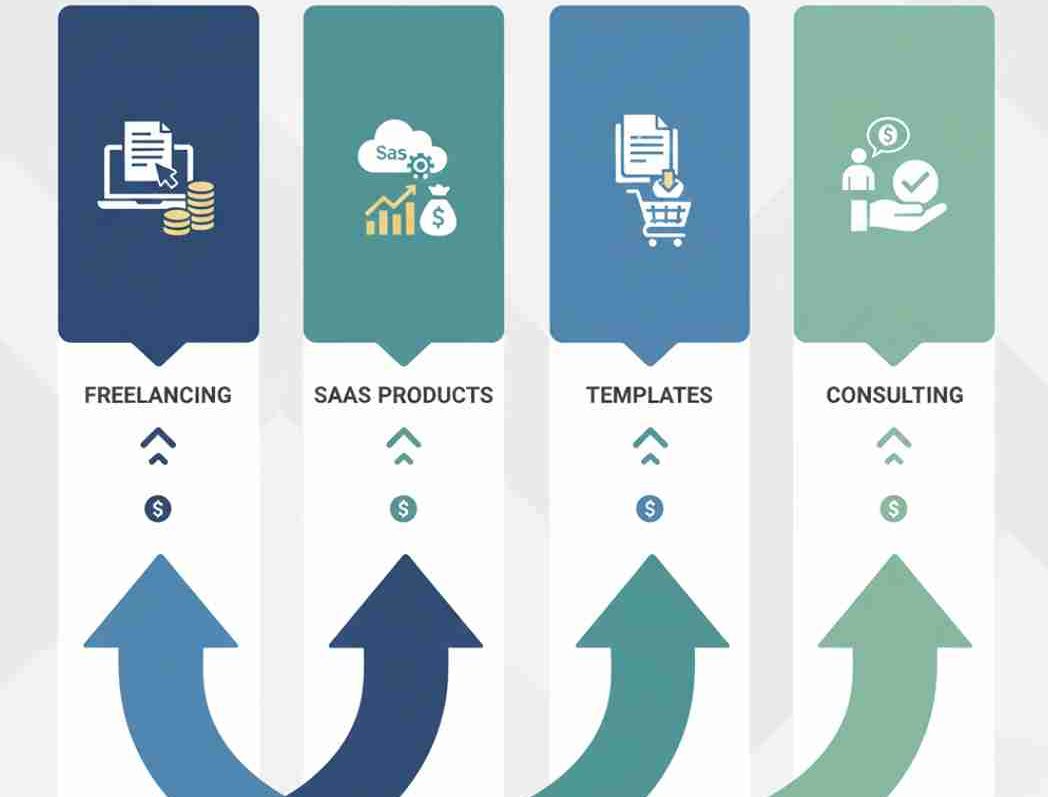
Transform your Vibe Coding skills into sustainable income streams with these powerful approaches:
- MVP Development Services.
Offer rapid prototyping to startups. Your speed to build projects with vibe coding delivers incredible value to time-sensitive businesses. - 2. Sell Templates & Components.
Package your successful vibe coding patterns into reusable templates and sell them to other developers. - 3. Create Educational Content.
Teach others to build projects with vibe coding through courses, tutorials, and workshops. - 4. Launch SaaS Products.
Use vibe coding to bootstrap your own software business with minimal upfront development costs.
It can help you build a strong personal brand: Read How to Build a Personal Brand as a Freelancer in Pakistan.
Real Success Stories of Vibe Coding
From Freelancer to $15K Project.
Sarah, a freelance developer, mastered Vibe Coding and delivered a complete e-commerce prototype in just 3 days instead of 3 weeks. Her working prototype secured a $15,000 contract that would have otherwise taken months to land.
Enterprise Team Saves 60% Development Time.
A tech company transformed their workflow when they implemented Vibe Coding for internal tools. They achieved 60% faster development cycles, saving thousands in costs while maintaining enterprise-grade quality.
Non-Technical Founder Secures Funding.
A first-time entrepreneur with no coding background used Vibe Coding to turn a concept into reality, producing a working MVP within two weeks. This rapid prototype helped secure seed funding and launch what’s now a profitable SaaS business.
Frequently Asked Questions (FAQ)
Q: Can I really build production-ready apps with vibe coding?
Yes, absolutely. However, moving from a prototype to a production-ready app requires a “Human-in-the-Loop” approach. While AI handles the heavy lifting, you must implement rigorous testing, security checks, and maintenance protocols just as you would with traditional software development.
Q: Do I need zero coding experience to start?
While you don’t need to be an expert, having basic programming knowledge is highly recommended. To successfully build projects with vibe coding, you need to understand the logic well enough to debug errors and refine the AI’s output when it gets stuck.
Q: Is code generated by Vibe Coding secure?
Not by default. AI models prioritize functionality over security and may occasionally suggest code with vulnerabilities (like hardcoded API keys). You should always treat AI-generated code as a draft that needs a security audit, including penetration testing and input validation, before deployment.
Q: What are the main limitations of this workflow?
AI tools can struggle with highly complex, novel architectures or very long codebases (context limits). The best approach is to break large projects into smaller, manageable components rather than asking the AI to build the entire system in one prompt.
Q: How do I maintain the code long-term?
Maintenance is the most critical part of the AI development lifecycle. Since you didn’t write the code line-by-line, it is vital to ask the AI to generate comprehensive documentation and unit tests. Regular refactoring sessions are key to preventing technical debt.
Have more questions about building your first AI App? Contact us directly to get help!
Start Building Projects with Vibe Coding Today
You now have the complete framework to build projects with vibe coding successfully. Throughout this guide, you’ve discovered:
- How to transition from traditional coding to AI-directed development
- The essential tools and setup for rapid prototyping
- A proven step-by-step process from idea to deployment
- Critical security practices for AI-generated code
- Advanced techniques for scalable projects
- Real monetization strategies to generate income
The most powerful step is your first one. Choose a simple project today, a portfolio site, a productivity tool, or a custom application and apply this framework. You’ll quickly discover how vibe coding accelerates development while enhancing your creative control.
Remember, this approach amplifies your skills rather than replacing them. Your vision, critical thinking, and problem-solving abilities remain at the center of every successful project you build with vibe coding.
Ready to continue your learning journey?
Explore more AI and development guides on our HALearnix Blog Page where you’ll find advanced tutorials, case studies, and emerging trends to further enhance your skills.
You are now fully equipped to build projects with vibe coding. Your future in next-generation development starts now—what will you create first?
