

Free AI Text Humanizer – Make Any Text Sound Human Instantly
If you have ever used ChatGPT to write something and felt the result sounded robotic, you are not alone. Most AI-generated text follows the same pattern. It is technically correct but feels cold, stiff, and unnatural to read.
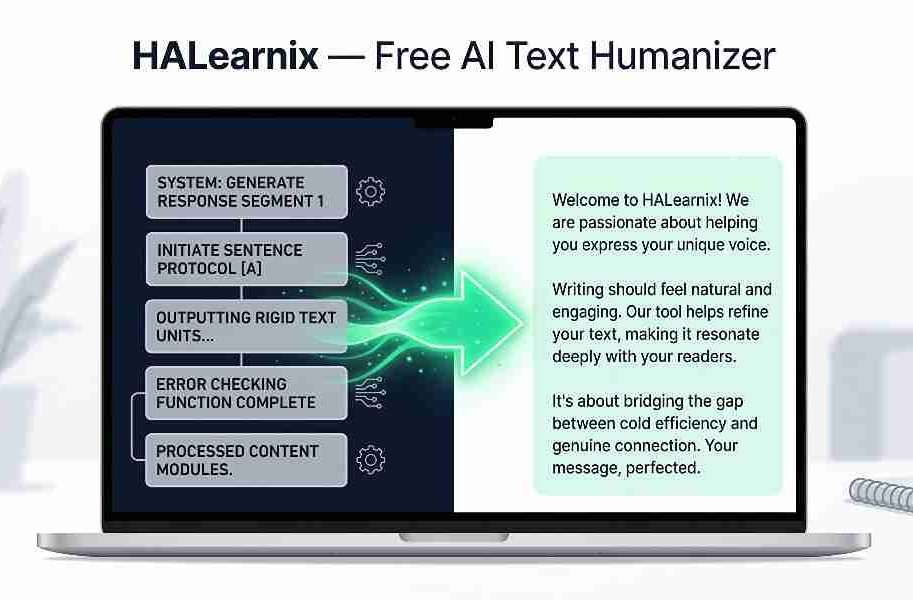
This free AI text humanizer was built to fix exactly that. Paste any AI-generated or rough text into the tool on this page and get a clean, natural, human-sounding version in seconds.
No account, No credit card, No complicated steps. Just paste your text and go.
Refine AI into Human Text
Convert robotic AI drafts into natural human writing (Up to 300 words).
What Is a Free AI Text Humanizer
A free AI text humanizer is a tool that takes text written by ChatGPT, Gemini, Claude, or any other AI writing tool, and rewrites it in clear, natural, human-sounding language.
It does not just fix grammar or spelling. It changes the entire tone, sentence structure, and flow of your writing, so it reads like a real person wrote it, not a machine.
Most AI tools produce content that sounds the same. Same sentence structure, Same overused phrases, Same flat tone. This tool breaks that pattern and gives your writing a natural, personal feel.
Turn Your AI Writing Into Cash!
Humanizing your text is the secret to bypassing AI detectors. But how do you turn this skill into a full-time income? If you want to maximize your earnings and land high-paying clients, you need a solid strategy.
Read our Complete Guide on AI Ghostwriting ➔Why HALearnix Built This Tool Free
At HALearnix, our goal is simple. We want every learner, whether a student, freelancer, or beginner, to have access to powerful tools without incurring expensive subscription fees.
Most AI content humanizer tools online charge monthly fees. Some limit your daily words. Others make you sign up before you can even try them.
This tool is different. It is completely free, works directly on this page, and requires no signup. It is part of our growing Free AI Tools library, built specifically for people who are serious about building real skills online.
Why Does AI Text Sound Robotic
AI tools follow patterns. And those patterns are easy to spot.
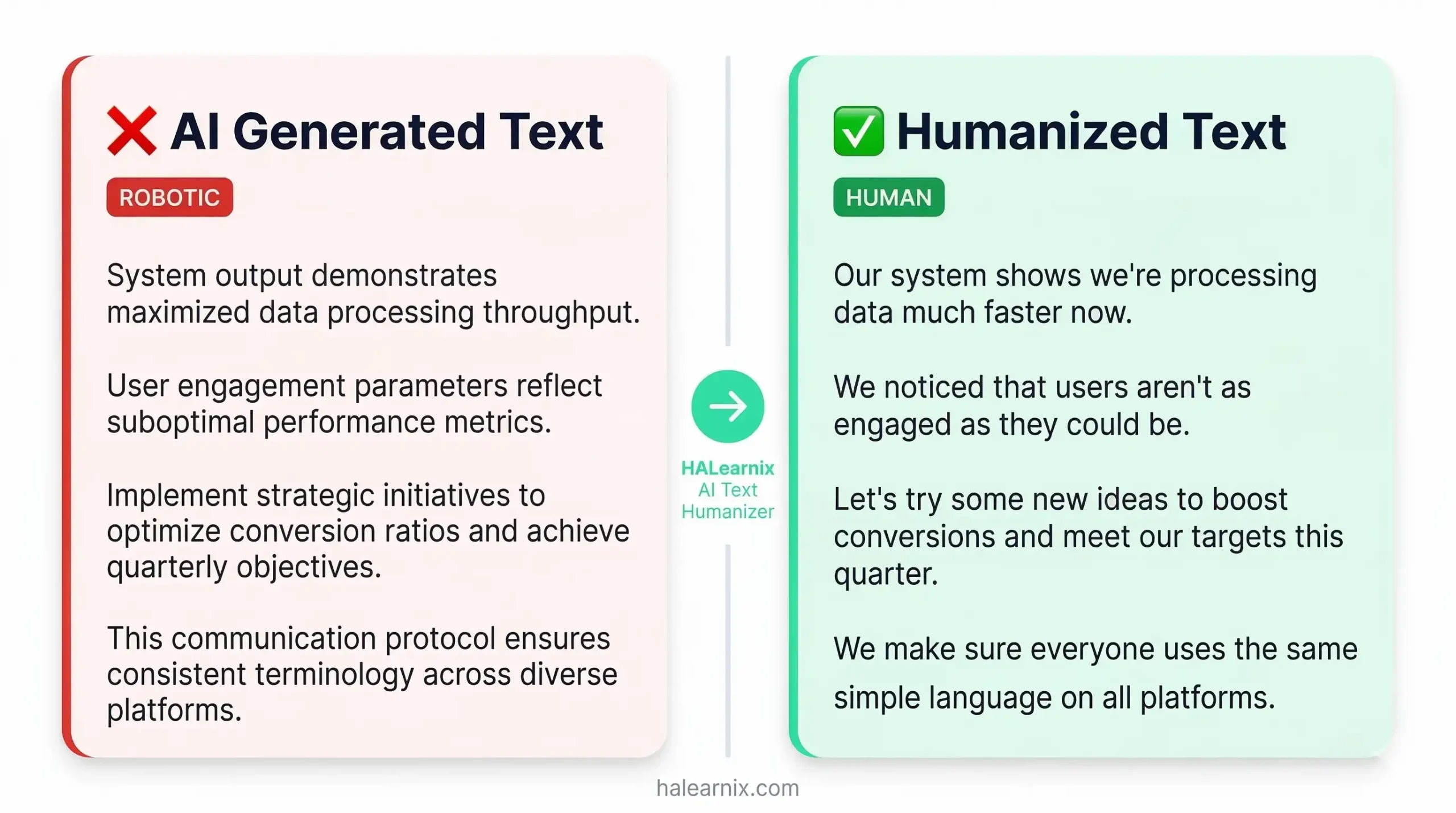
Phrases like “it is worth noting”, “in today’s fast-paced world”, or “this comprehensive guide” appear in almost every AI-generated piece. Repetitive sentence structures. Flat tone. Zero personality.
Readers notice this instantly. Clients notice it. And search engines are getting better at detecting it too. That is why learning how to make AI text sound human is one of the most valuable skills you can build right now.
How to Use This Free AI Text Humanizer – 3 Simple Steps
You do not need any technical skill to use this tool. Here is exactly how it works:
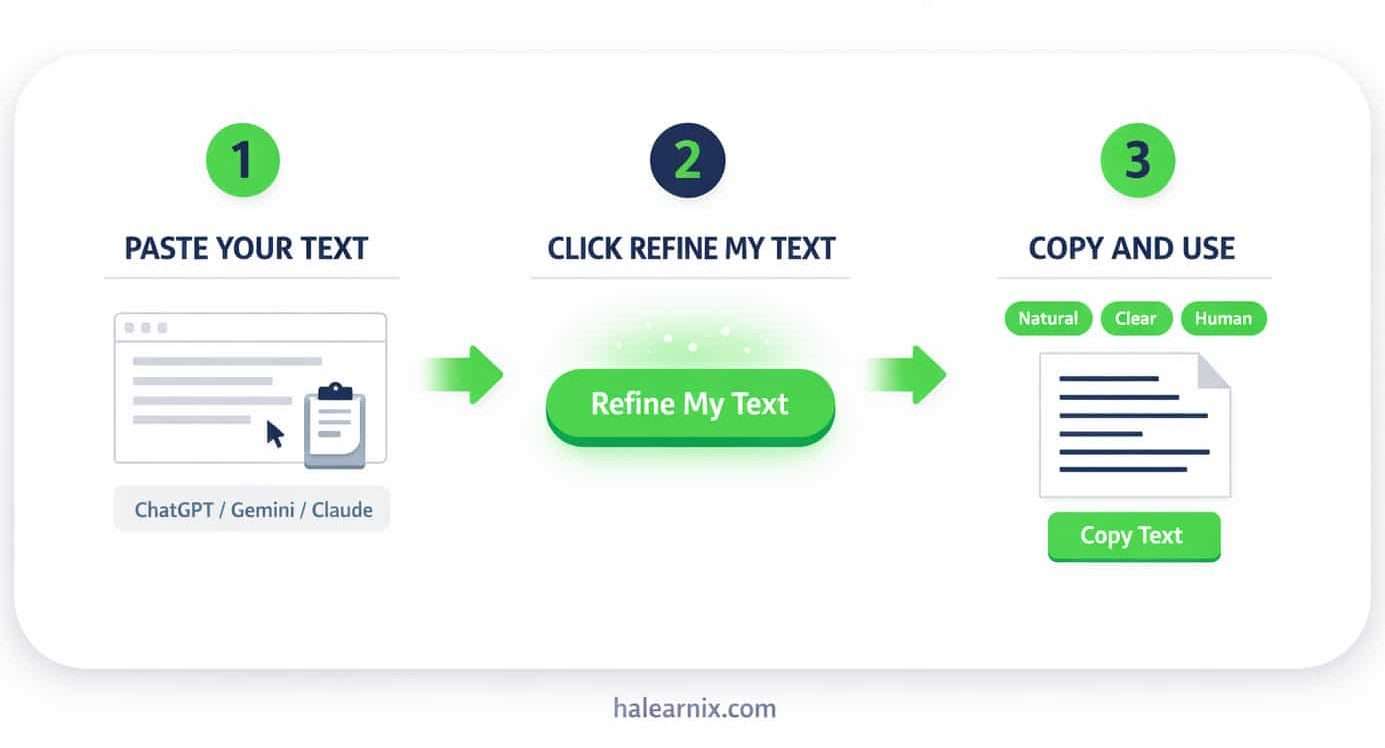
Step 1 – Paste Your Text
Copy any AI-generated or rough draft and paste it into the input box above. The tool works with up to 300 words at a time.
Step 2 – Click Refine My Text
Press the button. The tool processes your text using advanced AI and returns a natural, clean, human-sounding version within seconds.
Step 3 – Copy and Use
Click the Copy Text button. Paste your refined result anywhere, your blog post, client email, university assignment, or business proposal.
Pro Tip
For the best results, paste one paragraph at a time. Shorter inputs give cleaner and more accurate output. You can run the tool as many times as you need, there are no daily limits.
Who Should Use This Tool
This tool is built for anyone who writes online. You do not need to be a professional writer to benefit from it.
It works well for students polishing university assignments, freelancers preparing client emails and proposals, bloggers finishing article drafts, and professionals writing business reports or presentations.
If you use AI to help you write, and want the final result to sound 100% natural, this is your fastest, easiest fix.
How to Humanize AI Text Online
Knowing how to humanize AI text online is not just about using a single tool. A few simple habits make every result better.
Always read the output once before using it. Add one personal example or detail that only you would know. And mix short sentences with longer ones, that natural variation is what makes writing feel truly human.
This tool gives you a clean, natural foundation. Your personal touch makes it perfect.
Why Natural Writing Matters for SEO
Search engines in 2026 are smarter than ever. They reward content that reads naturally and genuinely helps the reader.
AI-generated text that sounds flat or repetitive gets lower engagement. Readers leave faster. Pages rank lower. That is a real problem if you are building a blog or trying to grow an audience online.
Using this free writing refiner tool regularly helps you produce content that both readers and search engines respond to. Better writing means a longer time on page, and that directly supports your rankings.
Make AI Text Sound Human – Real Use Cases
- Freelancers: You used ChatGPT to draft a cold email to a potential client. It is accurate but sounds like a template. Paste it here, get a version that feels personal, confident, and worth replying to.
- Students: You drafted an assignment with AI help. The ideas are solid, but the writing feels mechanical. This tool smooths the tone and makes it read naturally before you submit.
- Bloggers: You wrote a quick article draft with AI assistance. Good ideas, but the phrasing feels generic. Run it through this tool and get a version your readers will actually enjoy.
- Professionals: You have a business proposal that needs to sound polished and professional. This tool removes stiff corporate phrasing and gives your writing a clear, confident voice.
Why Pay for an AI Content Humanizer When This Is Free
Most paid AI content humanizer tools charge a monthly fee before you can use even the basic features. Many add word limits on top of that. Some make you create an account just to see if the tool works.
This tool does none of that.
It works directly on this page. No signup, No subscription, No word credits. Just paste your text and get a clean human result, completely free.
HALearnix is built for students, freelancers, and beginners who want access to powerful tools without paying premium prices. This free writing refiner tool is part of that commitment, and more free tools are being added regularly.
ChatGPT Text Humanizer Free – Why So Many People Need This
ChatGPT produces useful content. But anyone who uses it regularly knows the problem; the output rarely sounds like you.
The sentences follow the same pattern. The tone stays flat from start to finish. There is no personality, no warmth, and no natural flow. Readers pick up on it immediately, even when they cannot explain exactly what feels off.
That is why searches for a ChatGPT text humanizer free tool have grown so fast in 2026. People want the speed of AI, but they want their writing to still feel human.
This tool solves that directly. Paste your ChatGPT draft, click the button, and get a version that sounds like a real person actually sat down and wrote it.
Good To Know
This tool rewrites your text for natural tone and clarity. Always review the output before using it for important work, especially academic submissions or professional client deliverables. Add your own personal details to make the result truly yours.
Free Writing Refiner Tool – More Than Just AI Text
This free writing refiner tool isn’t just for AI-generated content; it also works on your own rough drafts. If English isn’t your first language, this tool smooths out awkward phrasing and makes your writing read naturally without losing meaning. If you write quickly and messily, it cleans up the structure without changing your ideas. It’s a practical, everyday writing tool for students, freelancers, and professionals who want to communicate better.
Explore More Free AI Tools on HALearnix
This writing refiner is one of many free tools we are building for you at HALearnix. New tools are added regularly, all free, all designed for real everyday use.
Free AI Tools
Visit our Free AI Tools page to see everything available right now, all free, all ready to use.
Skill To Asset
Want to turn your writing and AI skills into real income? Explore our Skill To Asset guides step-by-step roadmaps to building sustainable digital income from scratch.
Article Library
Browse our full article library covering AI tools, financial roadmaps, and beginner-friendly earning strategies — all completely free to read.
Level Up Your AI Career
Using an AI Humanizer effectively is a massive game-changer, but it’s just one piece of the puzzle. Want to stay ahead of the curve and secure your financial future in the AI era?
Explore the Top 5 High-Income AI Skills to Learn ➔Frequently Asked Questions
Yes, completely. There is no account required, no credit card, and no hidden charges. Open this page and use the tool directly. It costs nothing today and will always stay free on HALearnix.
The tool accepts up to 300 words per use. For longer content, break it into smaller sections and run each one separately. There are no daily limits, you can use the tool as many times as you need.
Yes. Many freelancers use this tool to clean up AI-assisted drafts before sending them to clients. Always read the output carefully and add your own personal details before final submission.
Yes. It works with text from ChatGPT, Gemini, Claude, DeepSeek, or any other AI writing tool. Paste the output, click the button, and get a clean natural-sounding version in seconds.
Yes. If English is not your first language, this tool smooths out awkward phrasing and makes your writing read naturally, without changing your original meaning or ideas.
Yes. The tool is fully mobile responsive. Use it on any phone, tablet, or desktop without any issues. No app download needed.
Start Using Your Free AI Text Humanizer Right Now
Good writing opens real doors. It wins clients, builds trust with readers, and keeps people coming back to your content.
This free AI text humanizer gives you a fast, simple way to make every piece of writing sound polished and professional, no matter where you started.
Scroll up, paste your text, and see the difference in seconds.
Bookmark this page. You will use it more than you expect.
